How it works
From shared direction to steady progress
Follow a complete quarter with Okra, from setup to close. See how your teams plan, check in and review their objectives, illustrated with real Okra screens and sample data.
Before the first quarter
Okra is switched on for your organisation
We set Okra up with you. Microsoft sign-in and your directory of people, managers and departments are switched on during onboarding, and your organisation's calendar is set: time zone, working days, quiet hours and how you plan.
- Department heads follow who reports to whom in your directory.
- Your current objectives can be moved across from a spreadsheet, a slide deck or another OKR tool.
- The first time each person signs in, a short Getting started list shows them around.
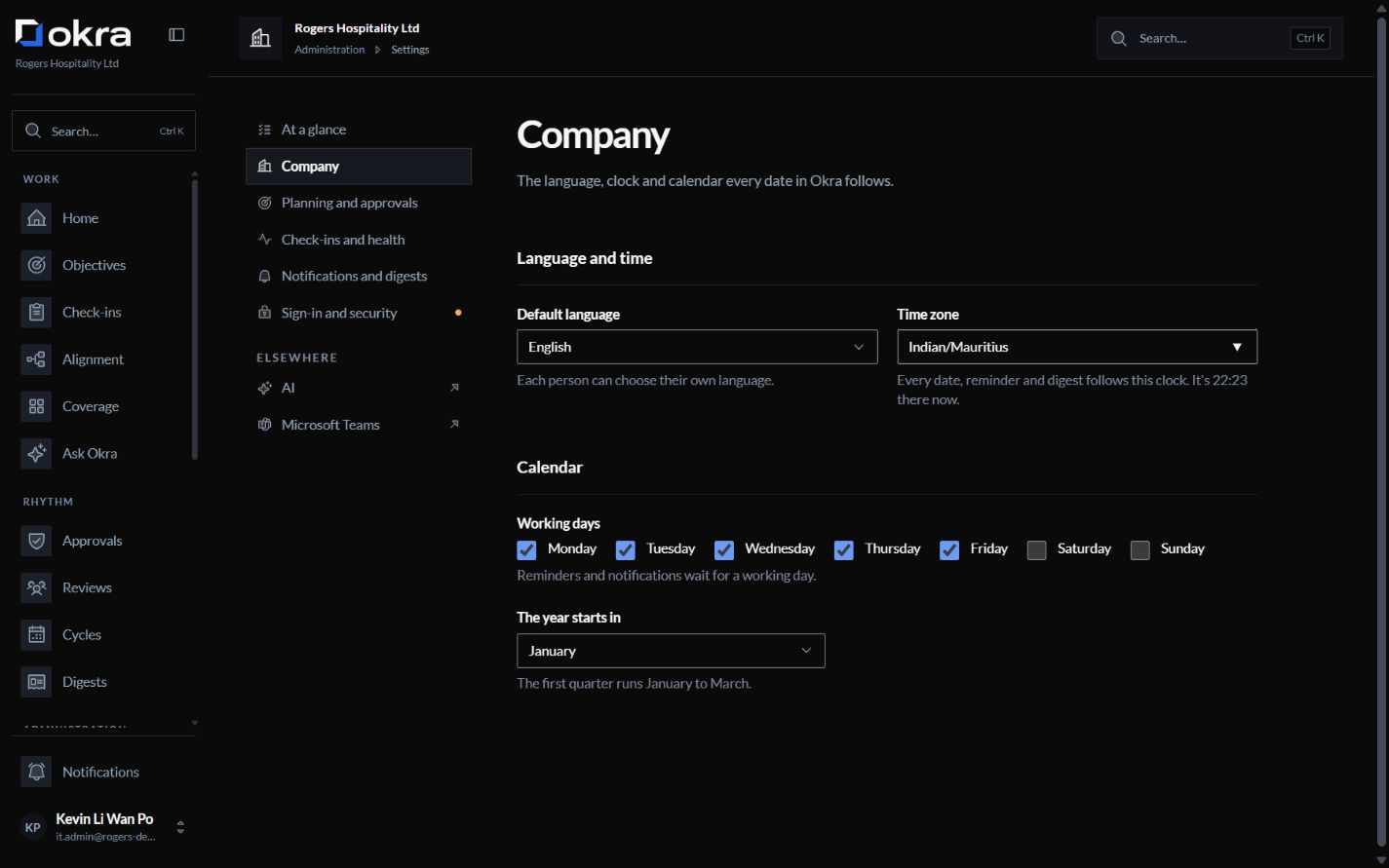
ScreenshotYour organisation's calendar, set once. The start of the quarter
Set the company’s direction. Connect each team.
Company objectives come first, and everyone can see them. Each team writes its own objectives and links them to the company objective they support. The coach can propose key results; nothing it suggests is saved until the owner confirms.
- Where your organisation wants it, a manager approves an objective before it starts.
- Coverage shows which units support each company objective, and where the gaps are.
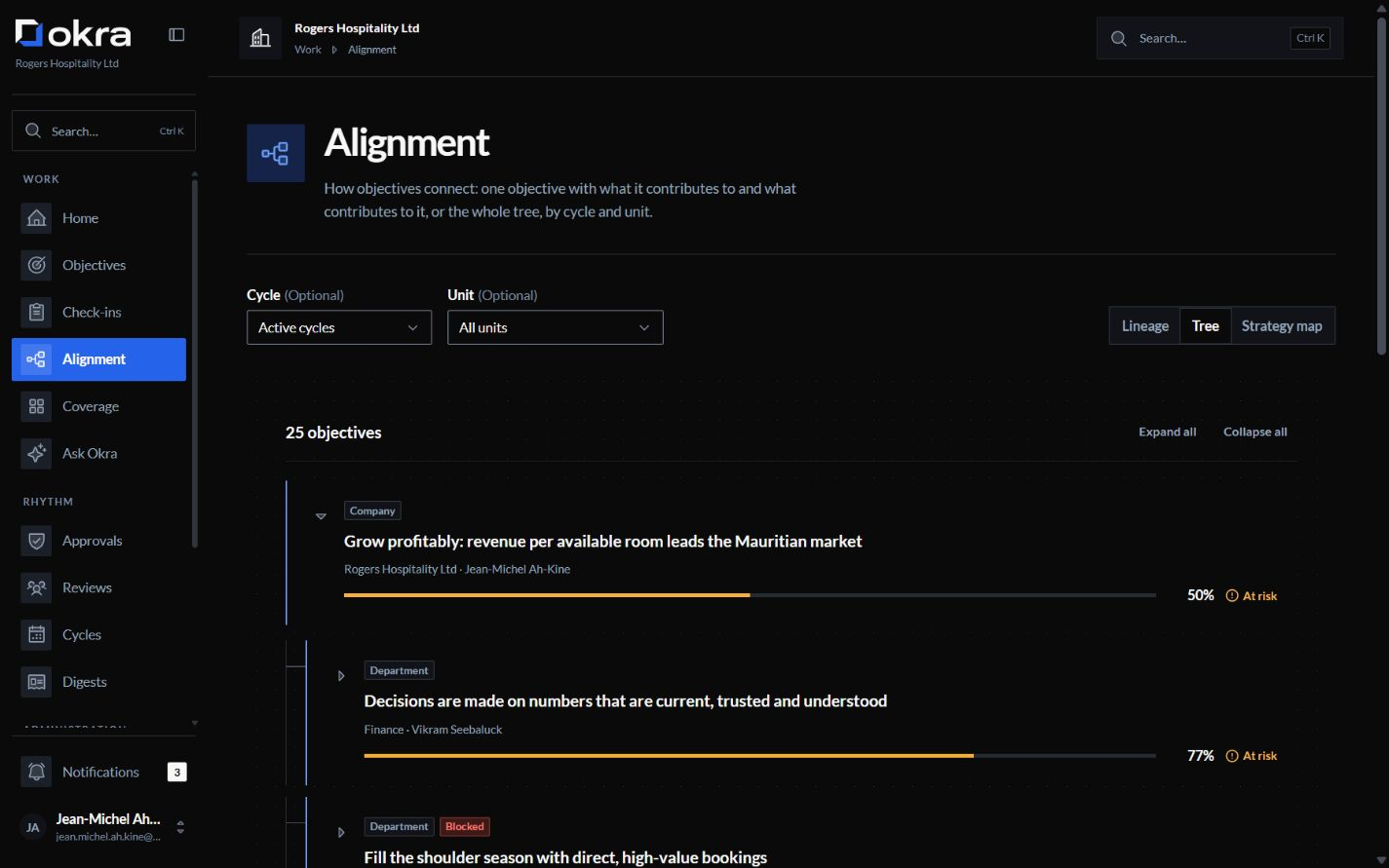
ScreenshotObjectives linked from the company down. Every week
Owners update progress. Okra handles reminders.
Each owner records progress, confidence, a note and any blocker on their key results. Okra reminds them when a check-in is due and marks a key result that has gone too long without one; after the number of missed check-ins you choose, it can tell the owner's manager.
- Each person's home lists what is waiting on them: check-ins, approvals, actions.
- A weekly digest shows each person what moved and what needs attention, within what they may see.
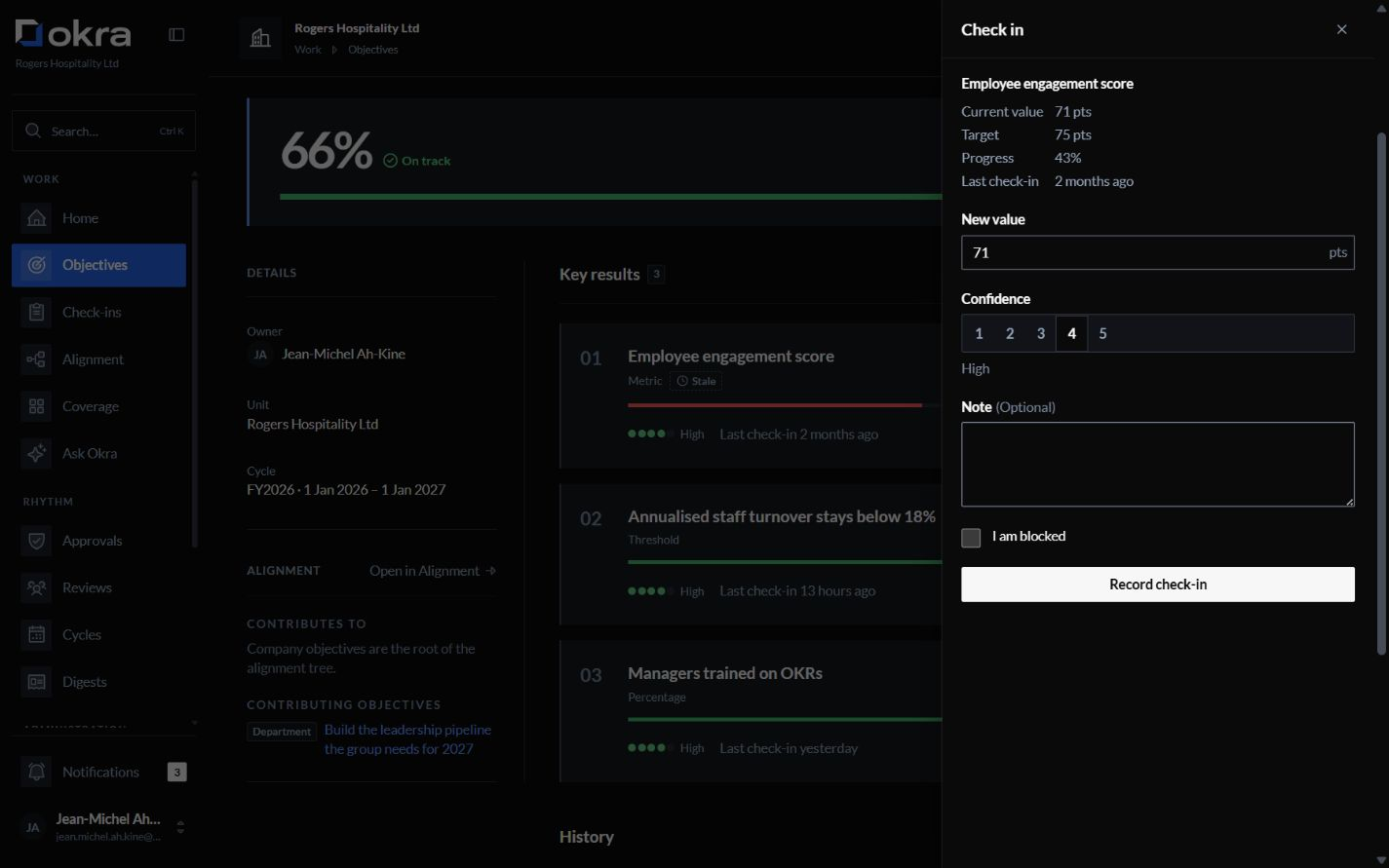
ScreenshotA check-in: the new value, confidence, a note, any blocker. At each review
Start every review with a clear picture
Okra prepares the agenda: what gained ground, where confidence dropped, what is blocked or out of date, and the actions still open. The meeting records its decisions and actions next to the objectives, and the actions are followed up as check-ins are.
- Before the meeting, Ask Okra answers questions about the objectives you can see.
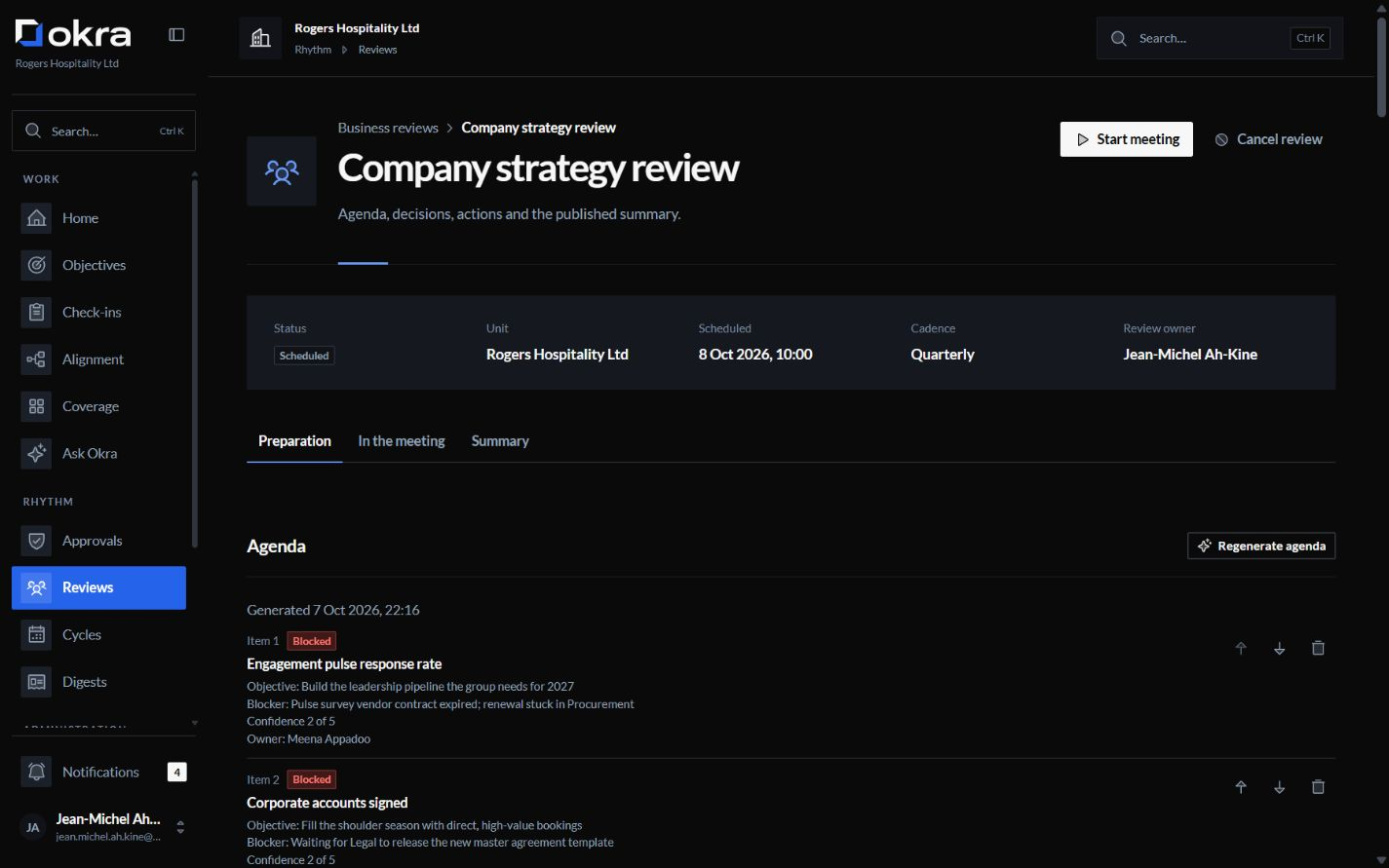
ScreenshotA business review, its agenda prepared by Okra. The end of the quarter
Close the quarter with an intentional next step
Each objective closes with a final score and a short retrospective note. Unfinished work is carried, revised, retired or left, one objective at a time, and the cycle report is kept as it was at close.
- Carried key results start the new quarter from their latest value.
- A monthly digest gives leaders the wider picture.
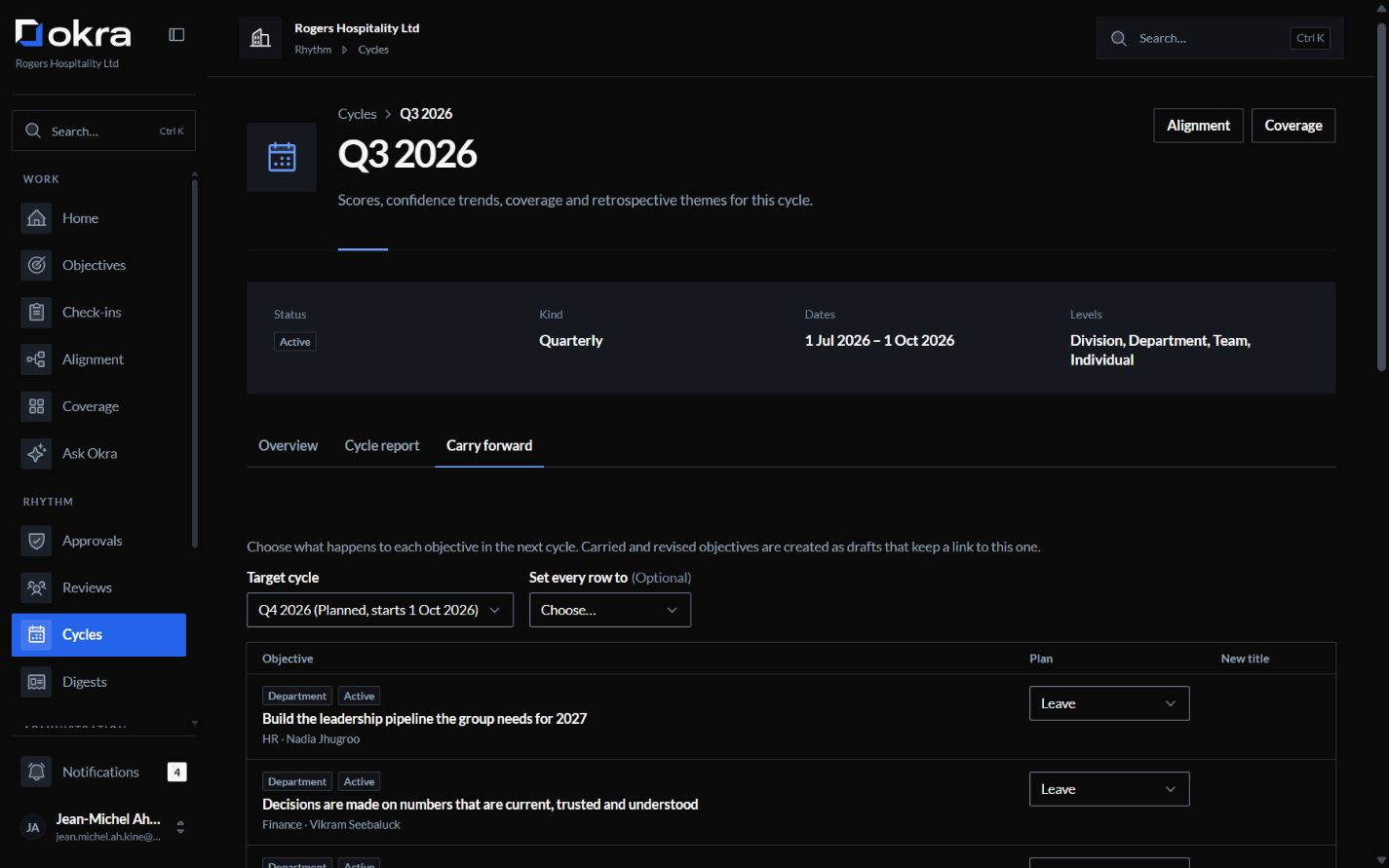
ScreenshotClosing a quarter: unfinished work, carried on purpose.
Let’s talk about your organisation.
Bring your questions. We’ll answer them and send a quote for your organisation.
Or write to contact@okra.mu
What happens next
You write to us
Share roughly how many people would use Okra, and ask anything you need to know.
A quote for your organisation
Your quote depends mainly on employee numbers, the AI use you need and hosting.
We set Okra up with you
During onboarding, we enable Microsoft sign-in and your directory of people, managers and departments for your organisation.
Free migration
Share your current objectives from a spreadsheet, slide deck or another OKR tool. We set them up in Okra with you, at no charge.