Product
See your objectives in action
Explore Okra on real screens, with sample data. Connect objectives from company to team, keep progress moving with short weekly check-ins and reminders, and bring current information into reviews and digests. OKRs, and only OKRs.
How it works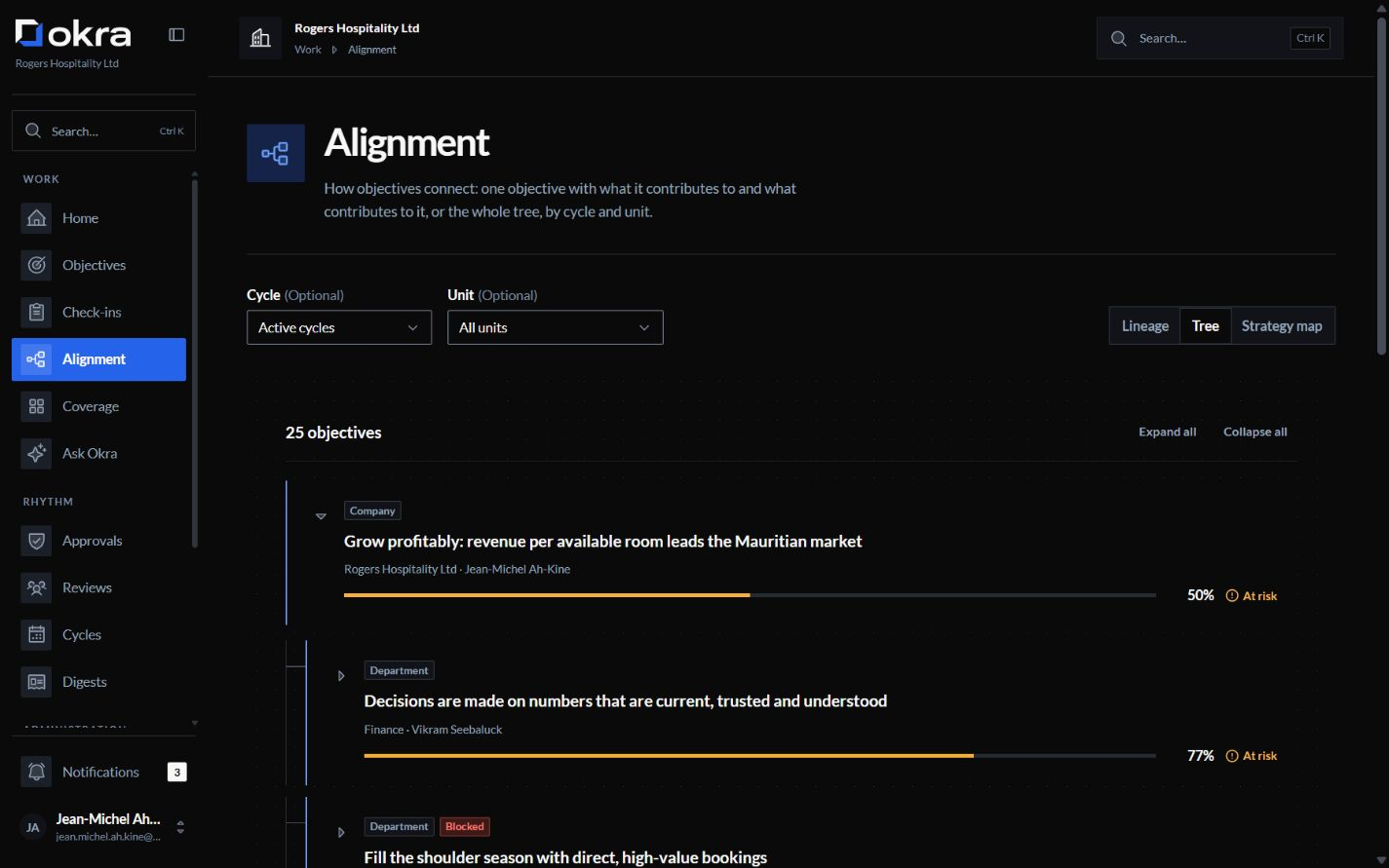
Connect every team to a shared direction
Company objectives sit at the top, and the whole organisation can see them. Divisions, departments, teams and people link their objectives to the one they support, so nothing is copied or retyped.
- Every objective has an owner, and can have co-owners.
- Leaders see which objectives are moving and which need help.
- An objective's score comes only from its own key results.
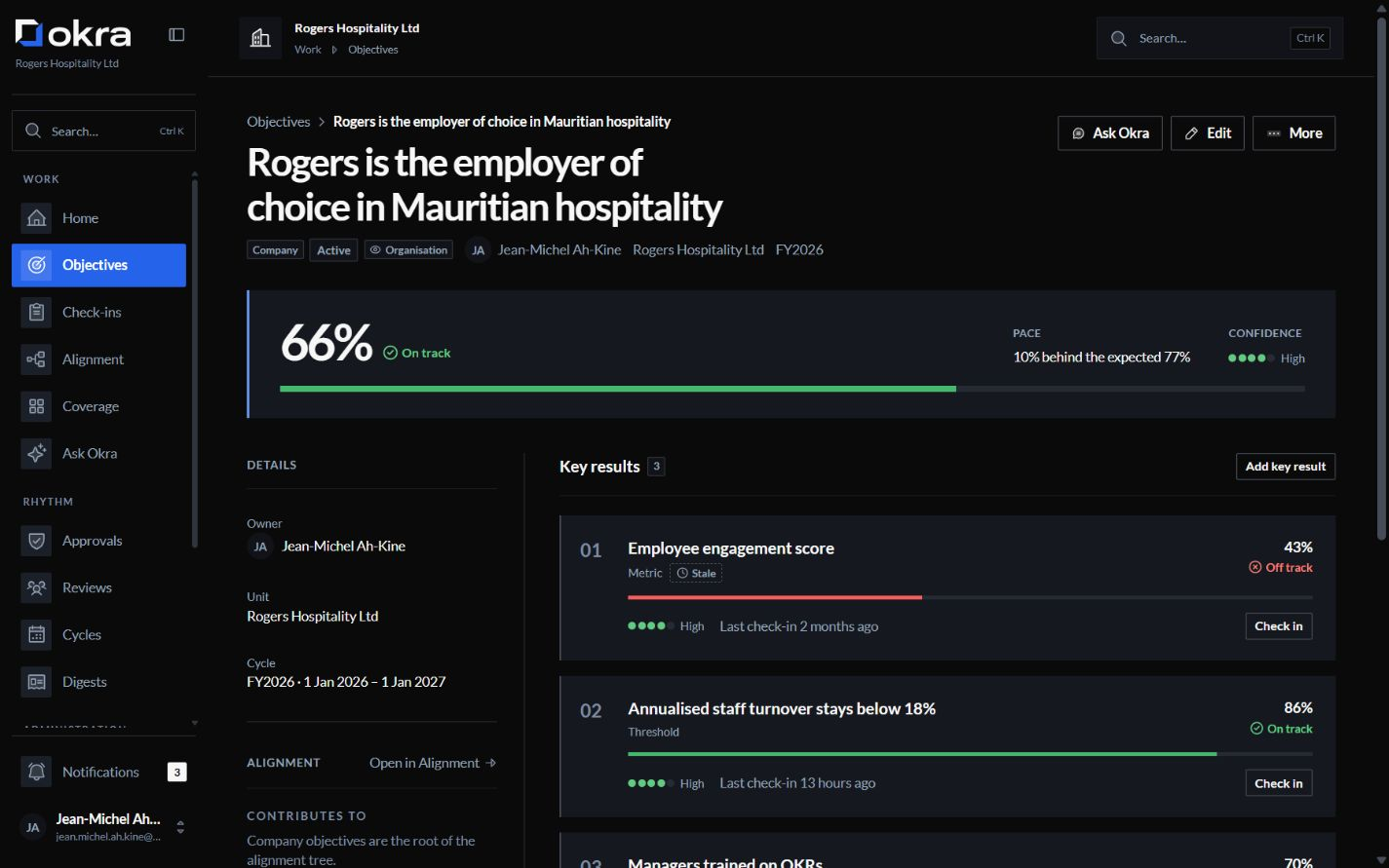
Four ways to measure progress
A key result can be a metric to move from a baseline to a target, a percentage, a milestone that is reached or not, or a threshold to stay above or below, for the figures a team must hold all quarter.
- Each key result has its own owner.
- Progress follows the latest check-in.
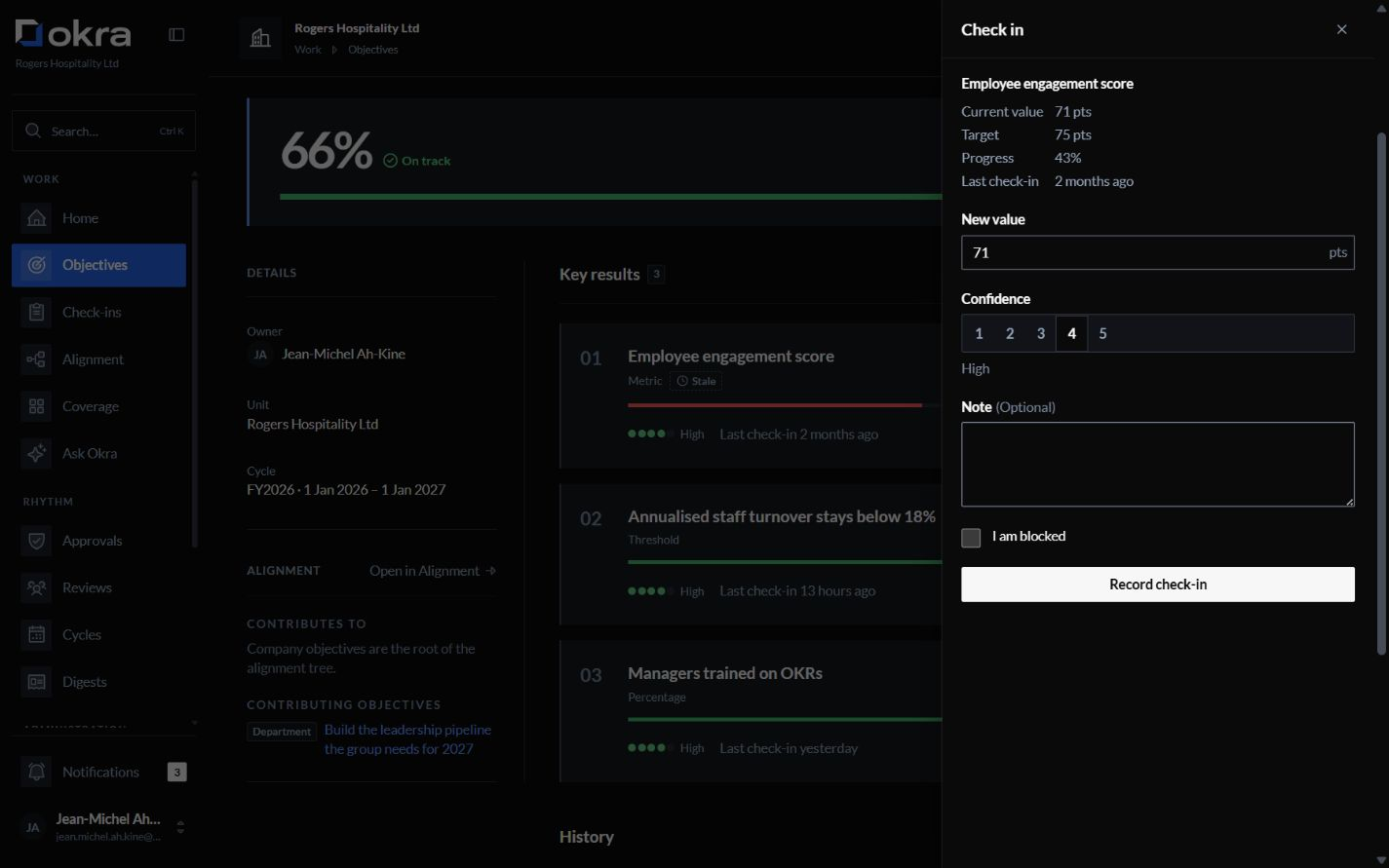
Keep progress visible, week by week
Owners record the new value, how confident they are, a note, and whether something is blocking them. A check-in is never changed afterwards: a correction is a new entry, and the original stays in the history.
- Okra reminds owners when a check-in is due.
- Key results that need an update stand out on every list.
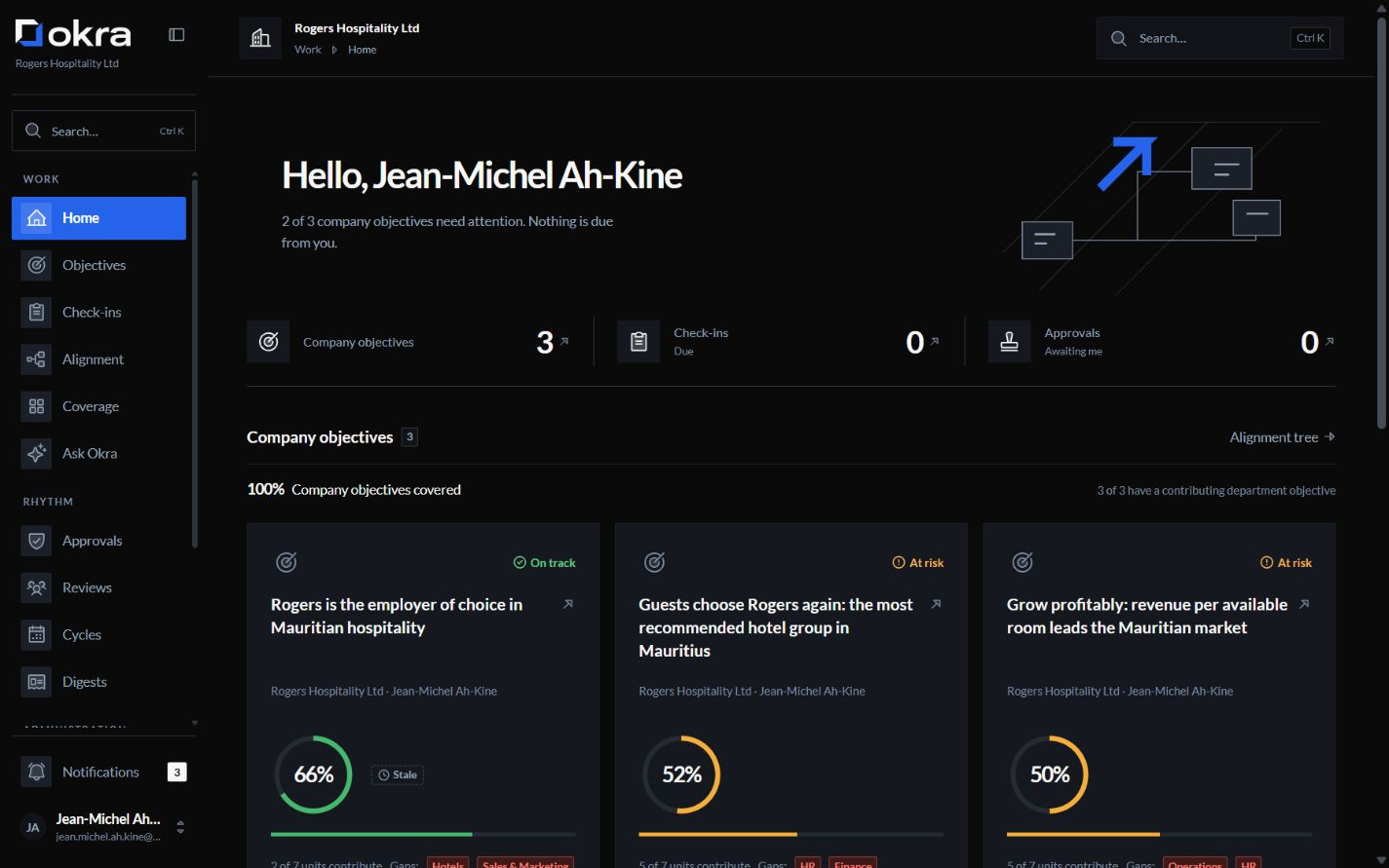
Keep updates moving without the chasing
When a key result goes too long without a check-in, Okra marks it as out of date and reminds its owner. After the number of missed check-ins your organisation chooses, the owner's manager can be told.
- Reminders wait for working days, and for the end of quiet hours.
- Each person's home lists what is waiting on them.
Turn current progress into informed decisions
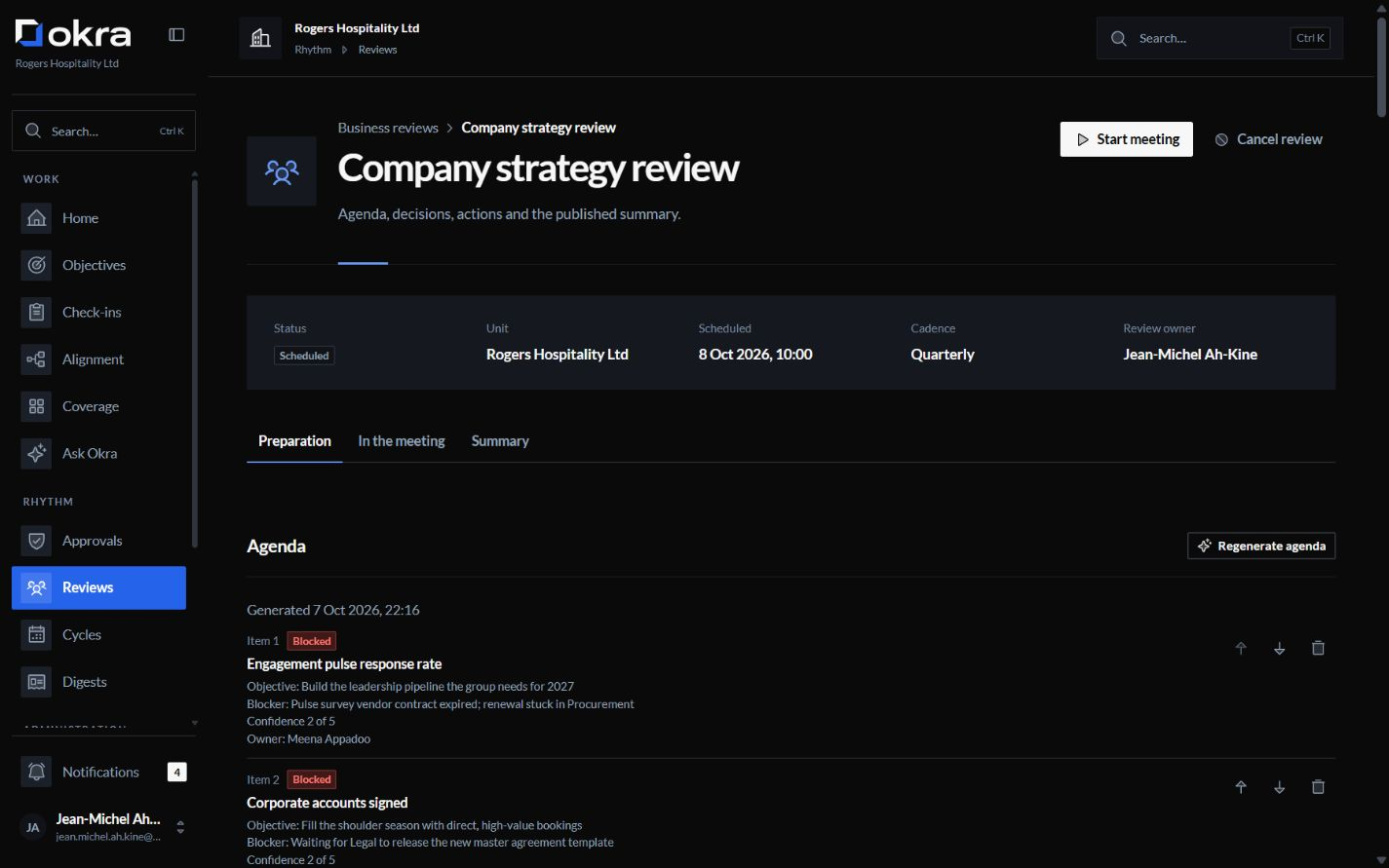
Okra prepares each review's agenda from where the objectives stand: what gained ground, where confidence dropped, what is blocked or out of date, and the actions still open. Decisions and actions are recorded with the objectives they concern.
- Actions are followed up, as check-ins are.
- The AI can draft the summary; a person publishes it.
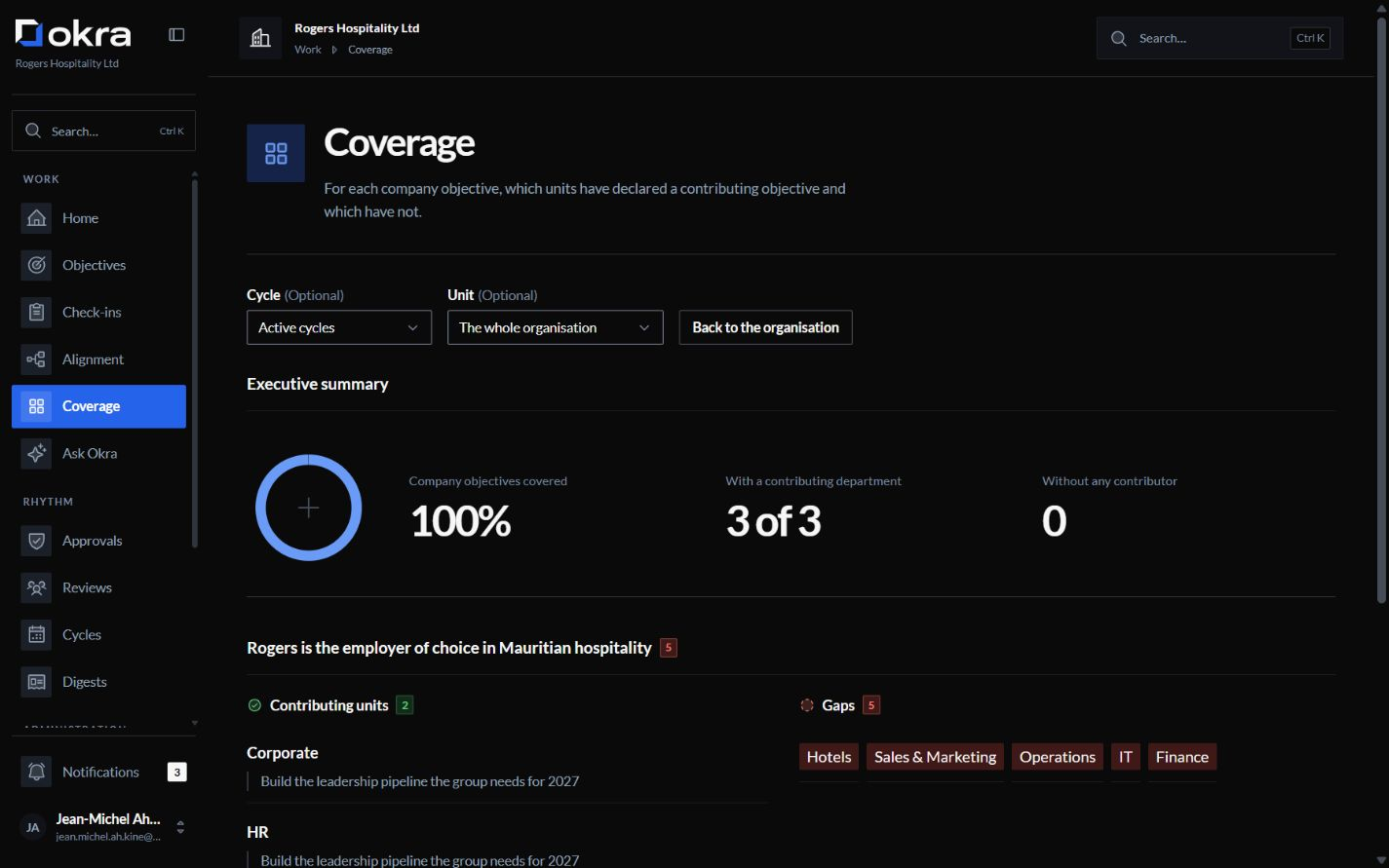
See where company objectives need support
See which units have an objective supporting each company objective, and which do not. Spot gaps before the quarter is half over.
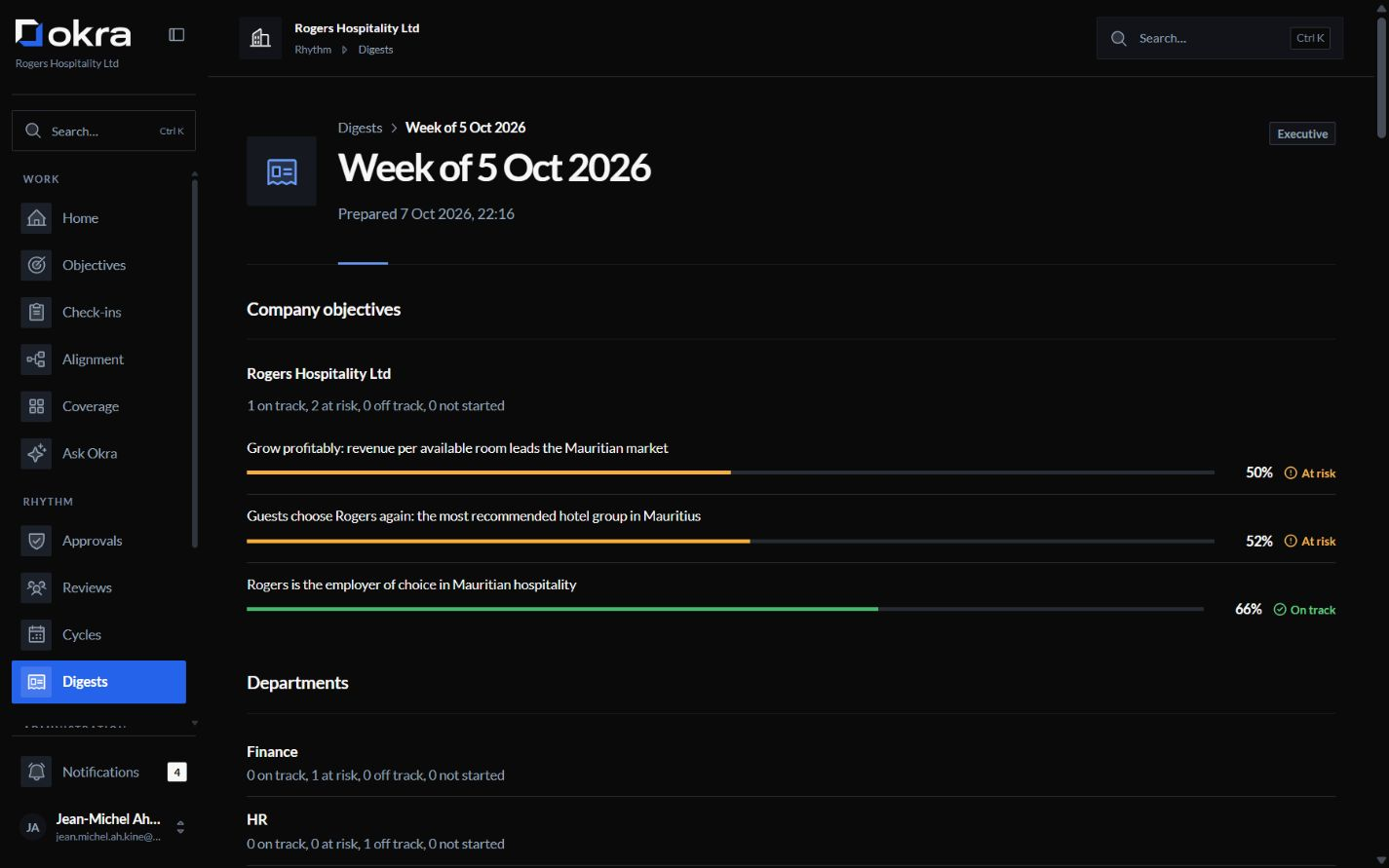
A weekly and a monthly digest
Each person gets a short digest of what moved and what needs attention, built only from what they may see. Your organisation chooses who reads which digest, and how often.
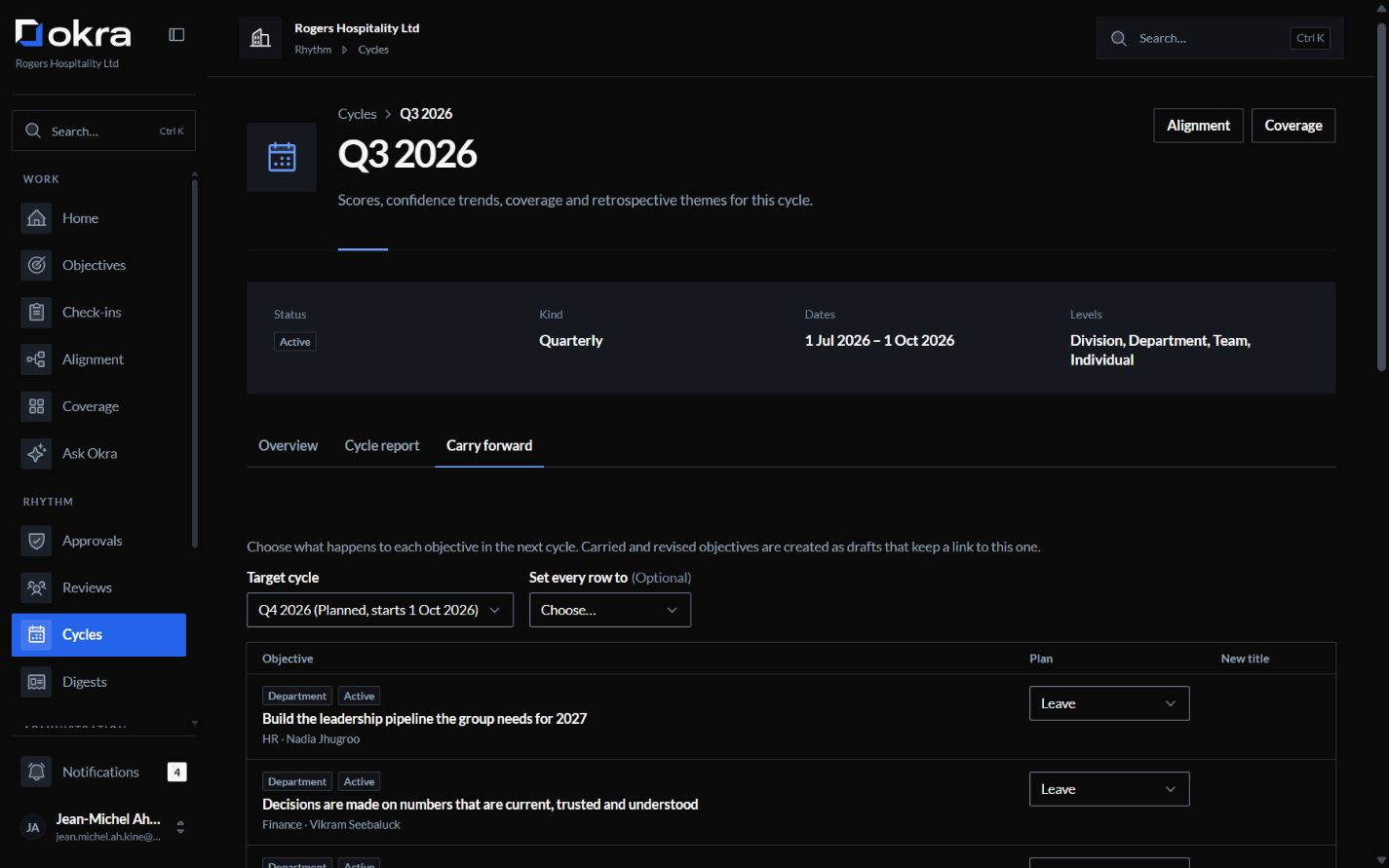
Close one quarter. Prepare the next.
When a cycle ends, each objective gets a final score and a short retrospective note. Unfinished work is carried forward, revised, retired or left, one objective at a time, and carried key results start from their latest value.
- The cycle report is kept as it was at close, and can be exported.
AI suggestions. Human decisions.
The coach proposes key results for an objective. Ask Okra answers questions about the objectives you can see, and proposes changes that are saved only when you confirm them.
More about the AI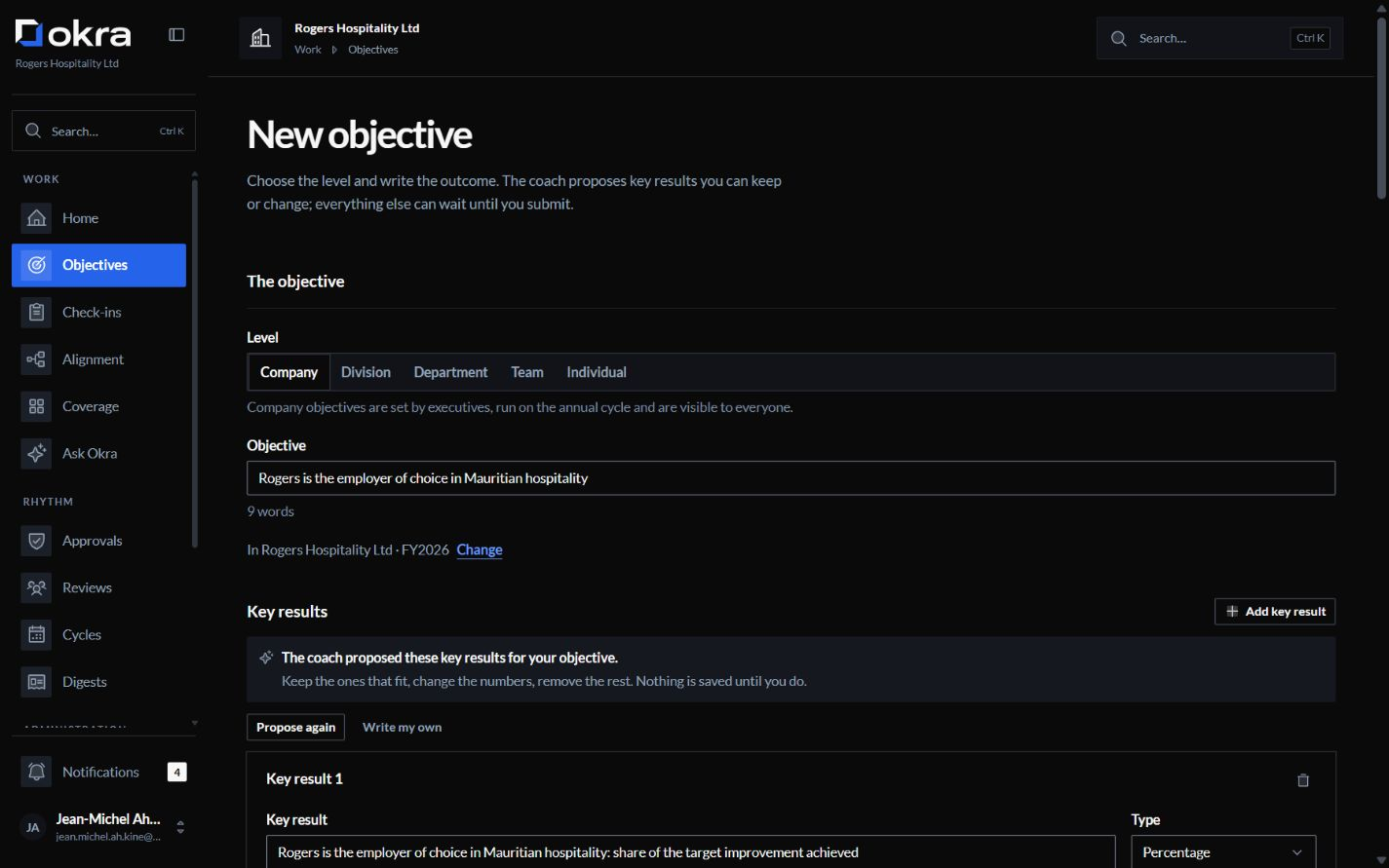
Also in Okra
- Approvals, where you want them
- For each level (division, department, team, individual) your organisation chooses whether a manager approves an objective before it starts, or whether it is published and the manager told. Company objectives are always published directly. An individual objective goes to the owner's manager, a team objective to the head of its department, a department objective to an executive.
- Five levels of visibility
- Each objective is private, team, department, leadership only or organisation-wide. Company objectives are always organisation-wide.
- Your calendar
- Each organisation sets its time zone, working days, quiet hours, the month its year starts, and whether it plans by year, by quarter or in its own cycles.
- English and French
- Every screen is in English and French.
- In the browser
- Everything works in the browser, on a computer or a phone, with nothing to install.
- A record of every change
- Every change is recorded with who made it and when, and the record cannot be edited.
- Your data, exported
- An administrator can export objectives, check-ins, a full copy of the organisation's data and the audit log in CSV and JSON, and cycle reports in PDF and Excel.
Find the right fit for your organisation
Understand where Okra fits before requesting a quote.
- If goals must feed ratings or pay
- Okra scores goals, never people, and has nowhere to store a rating, a ranking or pay.
- If you need an HR suite
- Okra does OKRs, and only OKRs: no appraisals, no surveys, no payroll.
Let’s talk about your organisation.
Bring your questions. We’ll answer them and send a quote for your organisation.
Or write to contact@okra.mu
What happens next
You write to us
Share roughly how many people would use Okra, and ask anything you need to know.
A quote for your organisation
Your quote depends mainly on employee numbers, the AI use you need and hosting.
We set Okra up with you
During onboarding, we enable Microsoft sign-in and your directory of people, managers and departments for your organisation.
Free migration
Share your current objectives from a spreadsheet, slide deck or another OKR tool. We set them up in Okra with you, at no charge.